Alphabet Jump Learning Game
Reviews
Jump Over Alphabets combines education with simple platforming mechanics. Kids enjoy the sky theme and cloud jumping while naturally memorizing the alphabet order. The increasing difficulty keeps them engaged without frustration. It is a reliable tool for parents and teachers to reinforce ABCs in a playful way.
About This Game
Game Introduction
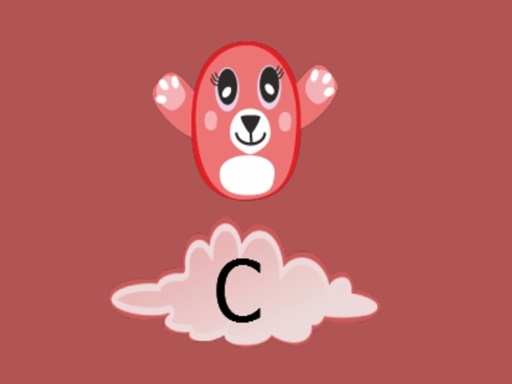
Jump Over Alphabets is an educational hypercasual game designed for young learners. In this cheerful sky adventure, players control a character who jumps across fluffy clouds, each labeled with a letter of the alphabet. The core objective is to follow the alphabet order from A to Z, timing each jump perfectly to land on the correct cloud. This game combines basic literacy skills with hand-eye coordination, making it perfect for toddlers and preschoolers. The colorful visuals and simple controls keep children engaged while they practice the ABCs in a stress-free environment.
How to Play
Players use keyboard arrow keys to control the character's jumps. The up arrow is typically used to leap from one cloud to the next, ensuring you land on the cloud with the correct letter in alphabetical order. The game starts with the letter A and progresses through the alphabet. If you miss a cloud or land on the wrong letter, you may need to restart the round. Each successful landing earns points and moves you closer to completing the alphabet. The game is designed for single-player fun and requires focus and timing. No reading skills are needed to start—just listen to the letter prompts and jump.
Game Features
Educational, interactive, and family-friendly gameplay suitable for all ages. The game features bright, colorful graphics that appeal to young children. Simple controls make it easy for even toddlers to play. Progressive difficulty helps build memory and reflexes. Each round reinforces alphabet order in a fun way. The game is hypercasual, meaning it offers quick, easy-to-learn sessions perfect for short playtimes.
Tips for Success
Practice regularly to improve your timing and reflexes. Focus on the order of the alphabet and try to anticipate the next letter. Take your time between jumps to ensure accuracy. If you make a mistake, don't get discouraged—each attempt helps reinforce letter recognition. Use the game's simple controls to your advantage by keeping your movements precise. Most importantly, have fun while learning!